
When finalising your supplier order :
- Open the supplier order to be received
- Locate the cart-shaped icon in the invoice toolbar/header.
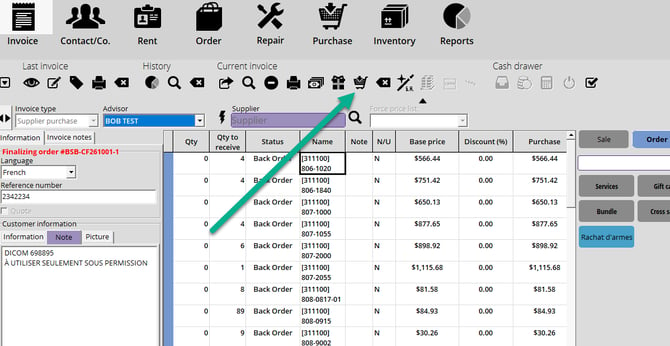
- Click the cart
 icon: Alice POS automatically applies the ordered quantity as the received quantity for all items on the order.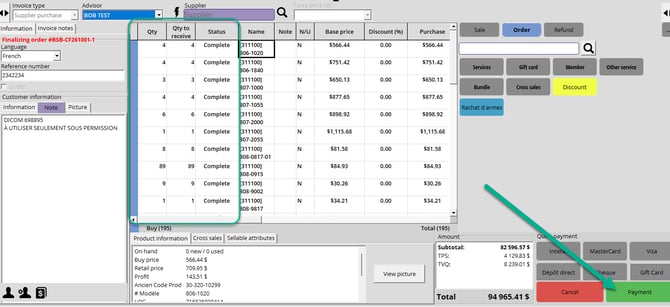
- Review the receiving summary that appears.
- If needed, manually adjust specific received quantities before finalizing.
- Finalize the reception to update your inventory.
Good to know
- This option is ideal for complete and accurate receipts matching the purchase order, as it avoids repetitive manual entry.
- Quantities applied via the cart icon remain editable until the reception is finalized.
Related articles
- Managing your Supplier Orders
- How to add product quantities to your Inventory
- In-Depth Overview of the Purchase module